January 2026 Quarterly Release
For help upgrading to the latest version, contact your Cloudhouse Representative. The following table describes each component available to upgrade within this release of Cloudhouse Guardian (Guardian). For more information on the known issues currently present within Guardian, see Known Issues.
Tip: To access a more simplified view of the changes included within this release, see January 2026 Changelog.pdf.
| Release Date | Guardian Platform | Guardian Web | Linux Agent |
|---|---|---|---|
| 22nd January 2026 | V4 | V3.62.0 | V5.50.0 |
Guardian Web Application V3.62.0
Here's what's included in V3.62.0 of the Guardian web application as part of the January 2026 quarterly release.
New Features
The following new features are included within this release of the Guardian web application.
Shallow Link Handling Introduced for Linux Directory Scans
We’ve added a new Shallow Links checkbox to the Scan Directories section on the node settings page. For more information on this page, see Edit Node Group.
Note: This feature is currently only available for Linux nodes running V5.50.0 of the Guardian Agent or Connection Manager.
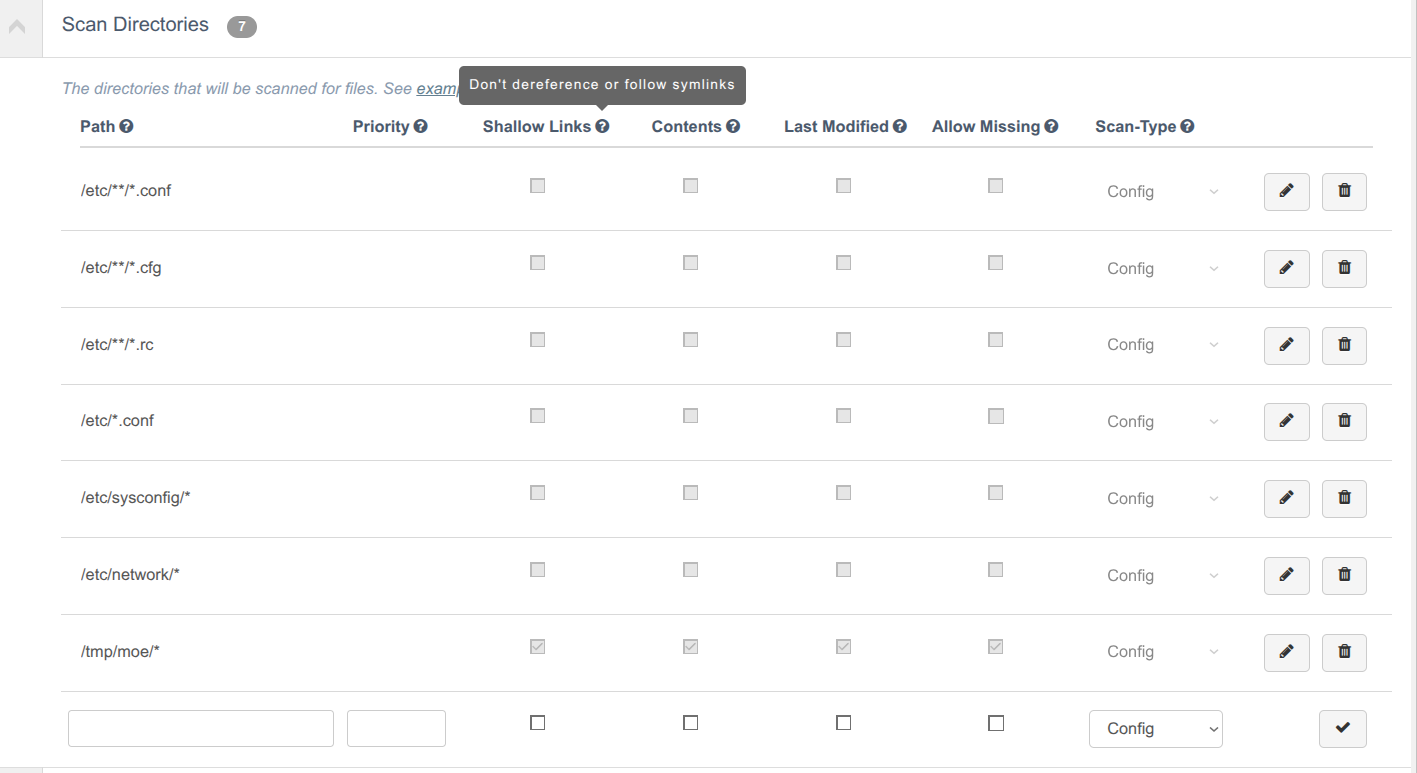
When the Shallow Links checkbox is selected for a directory, the scan will record only the symlink itself, its target path and whether the target is a file or directory, without scanning the contents of the destination. This prevents unnecessary recursion into large or irrelevant directory trees and makes symlink behavior explicit in scan results.
Other Enhancements
The following additional enhancements are included within this release of the Guardian web application.
New Search Feature for Approved Changes
The Options drop‑down menu in the Change Report tab (Reports > Change Report) now includes a new Approval Comment search option. You can use this option to search for changes based on the text entered in their approval comments.
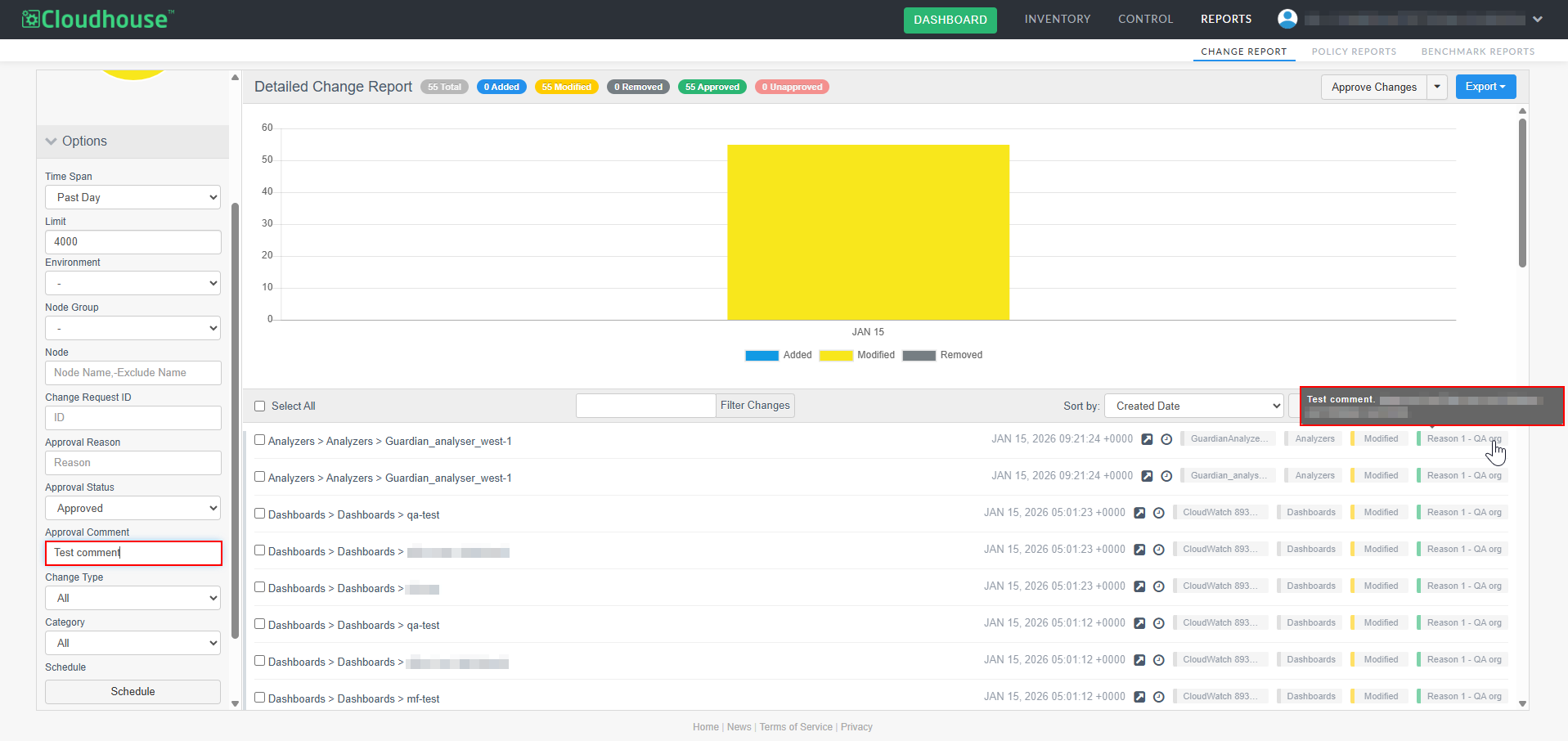
This enhancement makes the change report easier to review by allowing you to quickly locate changes linked to specific approval reasons, improve audit accuracy, and reduce the time spent manually scanning long approval histories.
View Full Name of Node on Change Report
On the Change Report tab, each record includes the name of the node where the change occurred. Previously, long node names were truncated to fit the column width, with no way to view the full name.
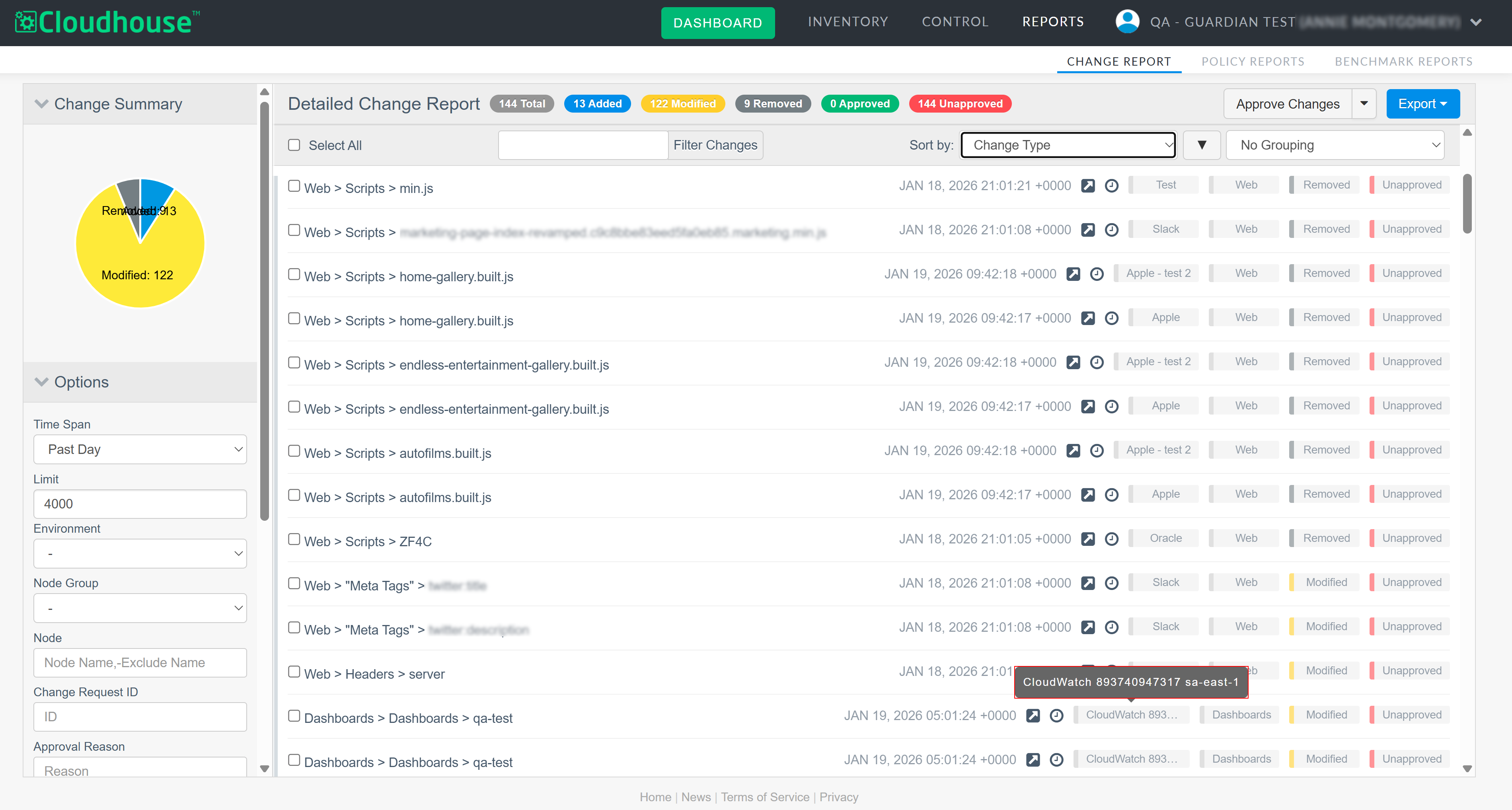
This release introduces a new hover‑to‑preview tooltip, allowing you to see the full node name by hovering your cursor over it. This ensures that lengthy node names remain fully accessible without altering the table layout.
Updated Ignored Items Section for Node Groups
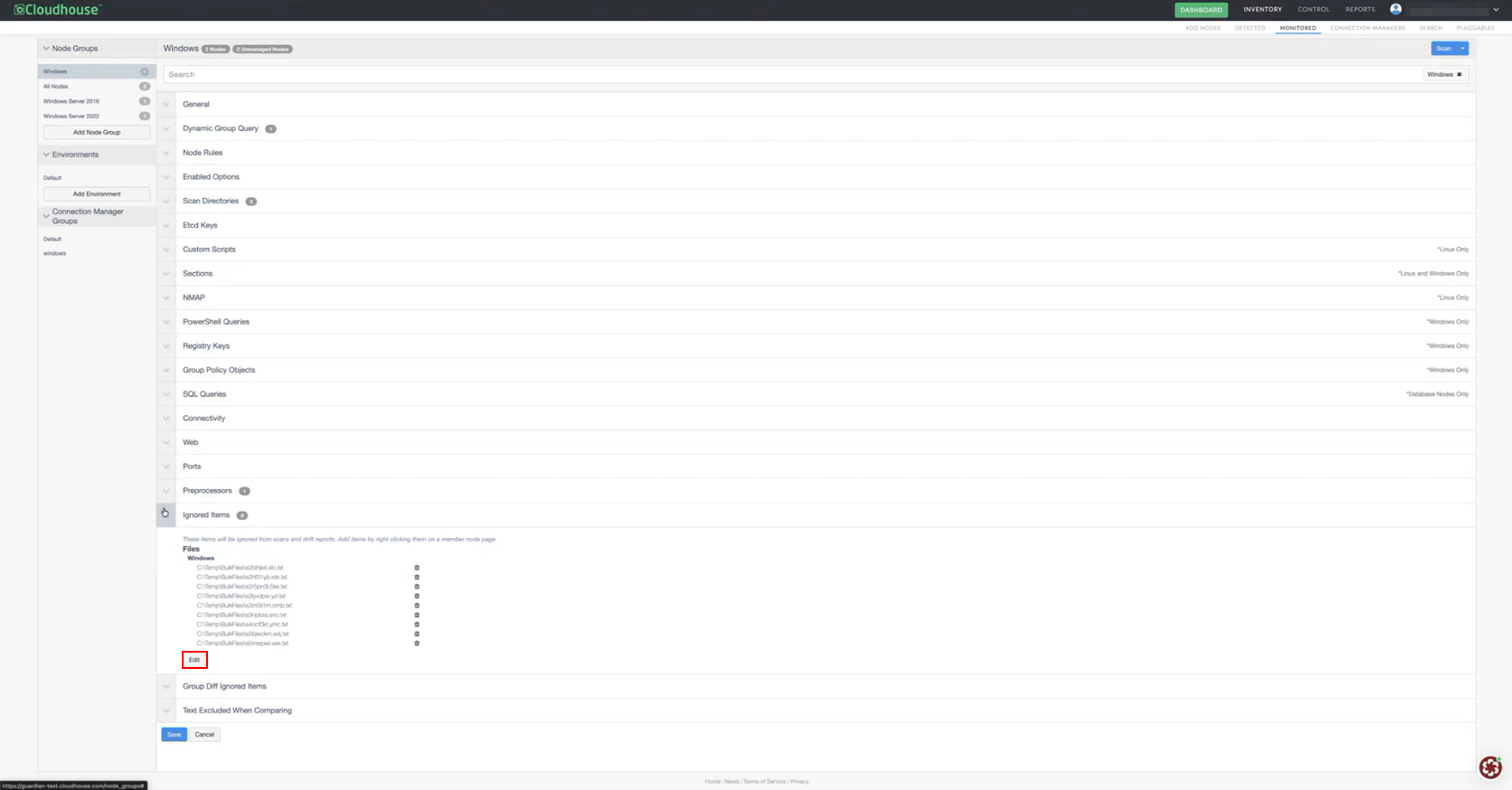
When editing a node group, the Ignored Items section has been updated. An improved JSON format has been implemented, making entries easier to manage and allowing ignored items to be added and edited directly within the JSON. To enable this feature, contact your Cloudhouse Representative.
Note: For more information on ignored lists for a node group, see Node Scan Ignore Lists.
This enhancement behaves differently depending on whether the New Monitored Skin feature is enabled. See below for more information:
-
Old Monitored Skin – Click Edit to access the JSON format.
-
New Monitored Skin – The JSON appears automatically.
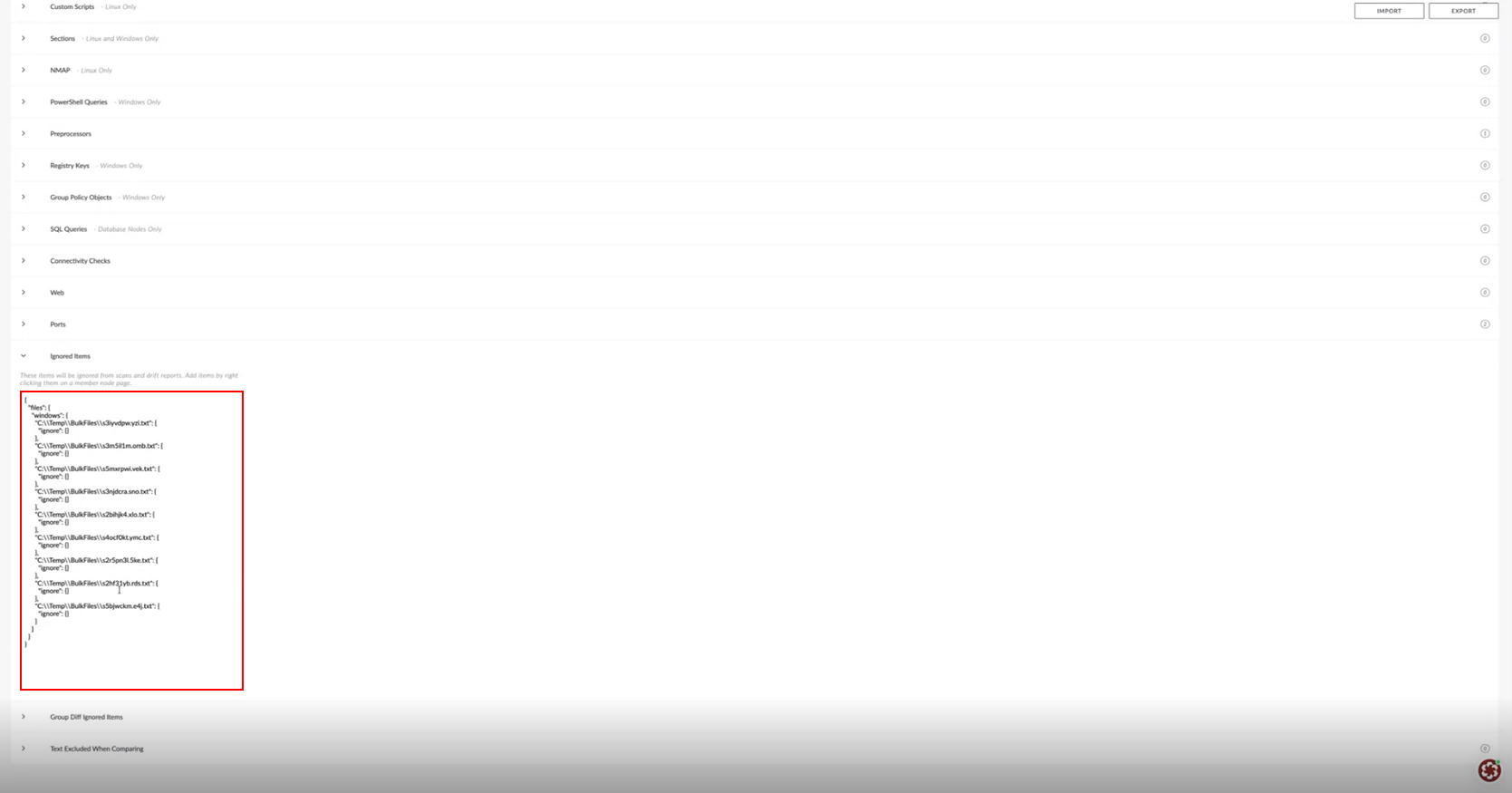
Note: To enable the New Monitiored Skinthis feature, contact your Cloudhouse Representative.
Change Report Improvements
We’ve enhanced the Change Report tab by introducing the following improvements:
-
Redirect to Sign in page – Previously, if Guardian remained open for an extended period with no activity, the session timed out and displayed an error message when you next interacted with the application. Now, Guardian handles timeouts by automatically redirecting you to the Sign in to the application page.
-
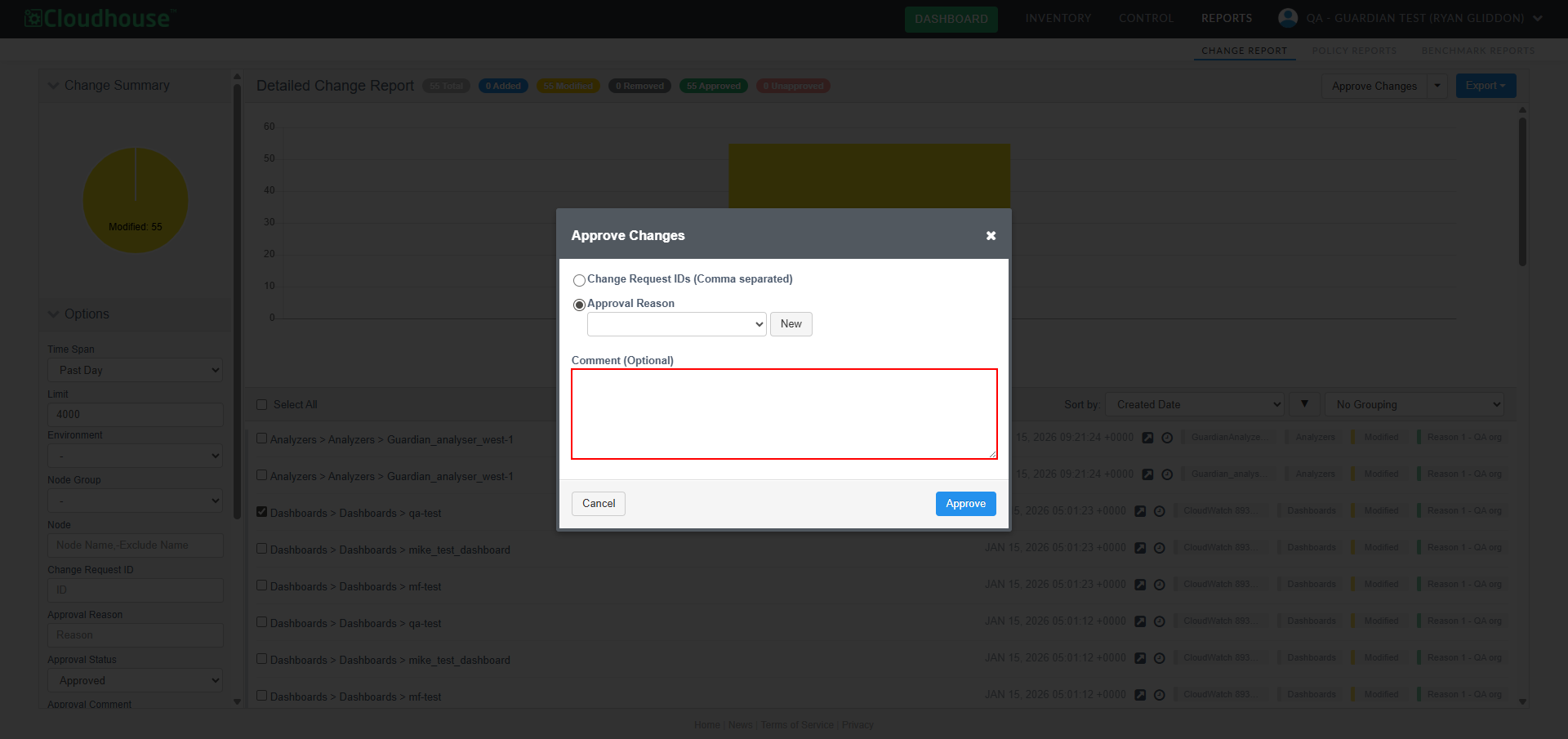
Clear Approval Comment – Previously, when approving changes, the Comments (optional) field retained text entered during earlier approvals, which could cause confusion when approving additional changes. Now, the field clears automatically, so each approval begins with a blank comment field.
-
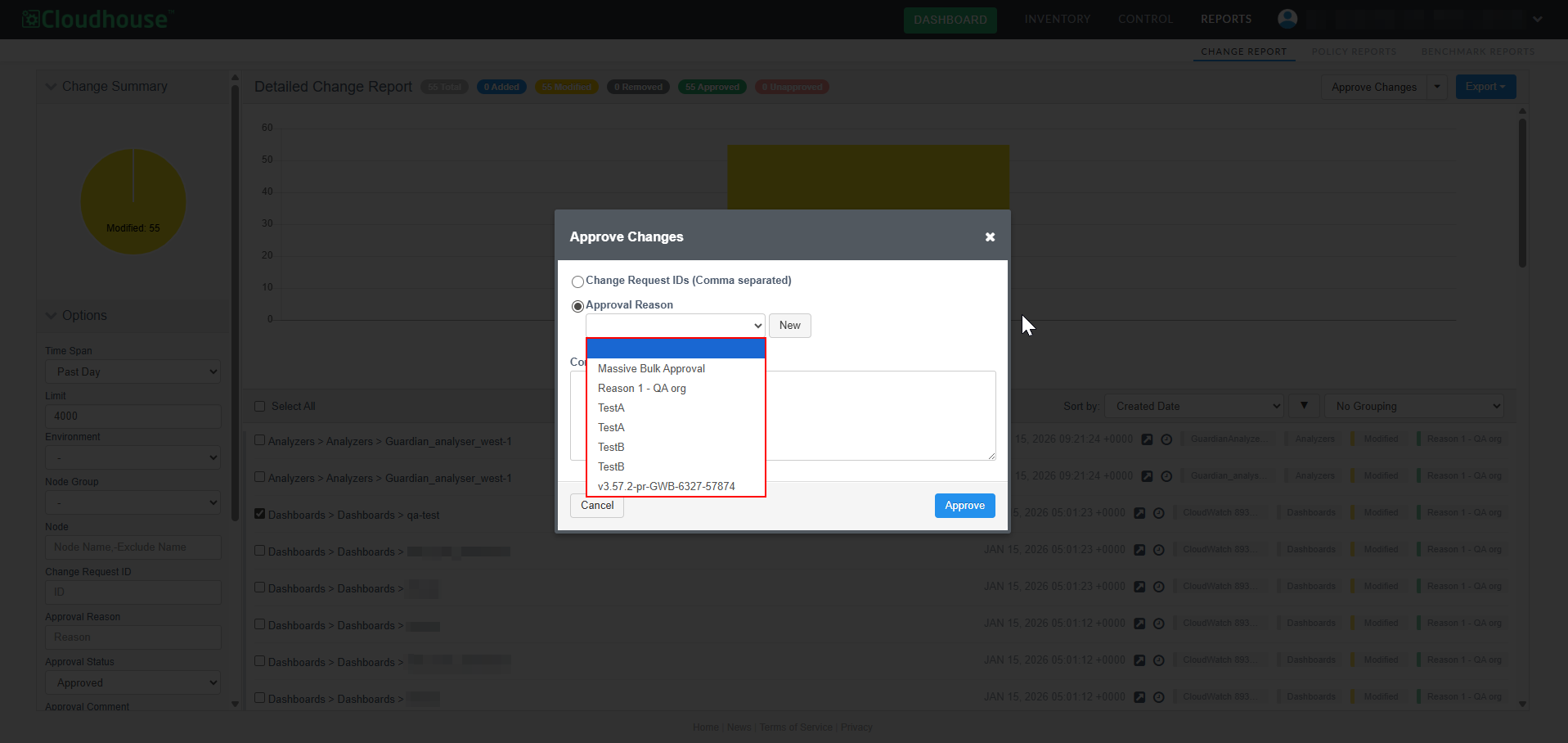
Sort Approval Reasons – When approving a change and selecting an approval reason, the Approval Reasons drop-down list is now sorted alphabetically for easier selection.
-
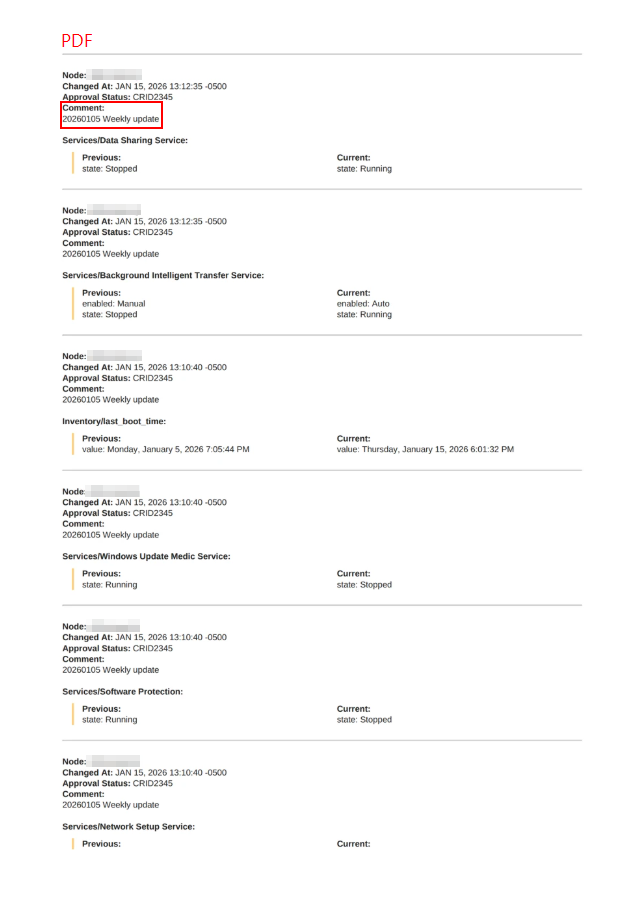
Comments Included in Exports – When exporting a change report in PDF, PDF (including text) or CSV format, approval comments are now included in the exported document. This improvement ensures that additional context is available in the exported output, making reports clearer and more useful for auditing and collaboration.
A PDF example can be seen below.
A CSV example can be seen below.

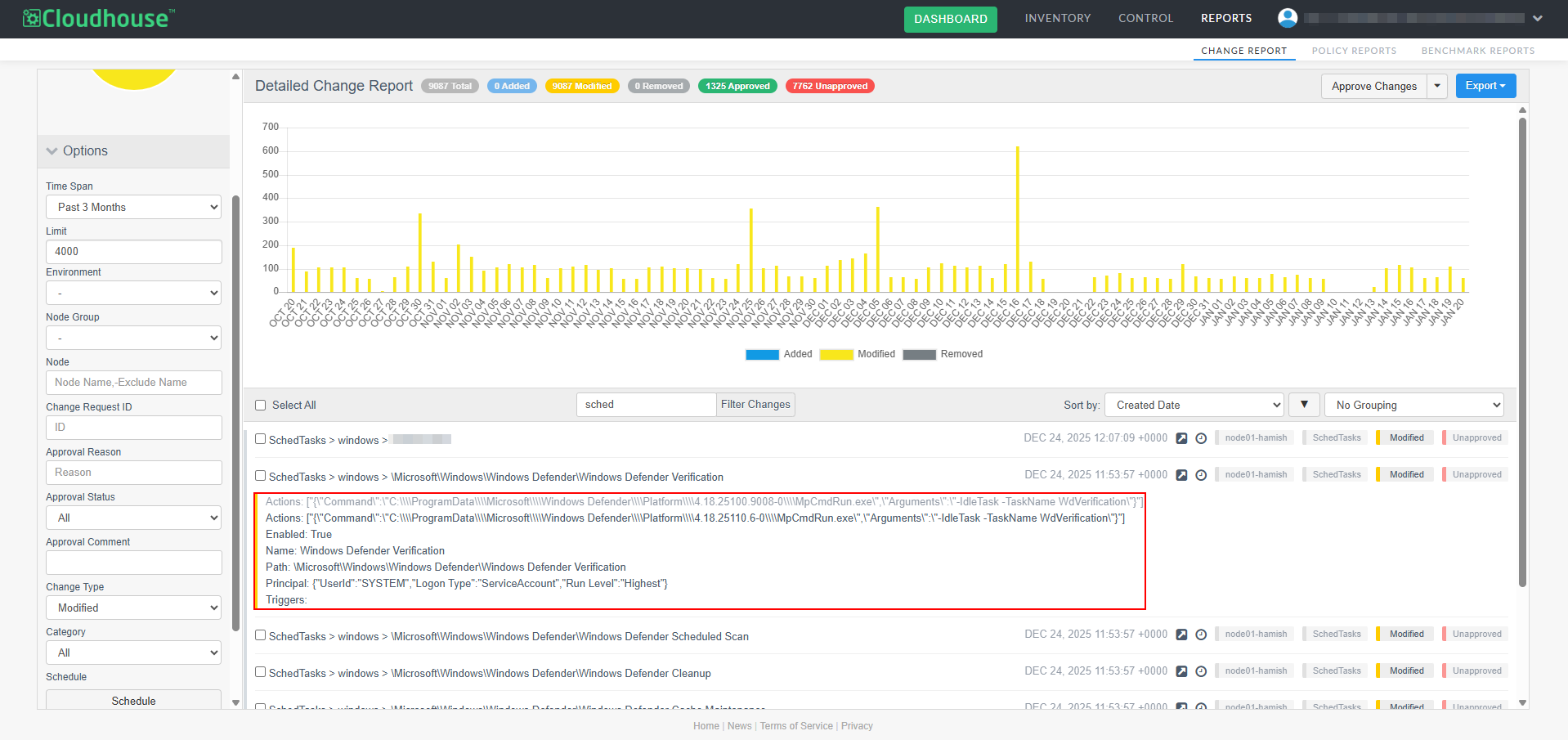
Improved Accuracy When Reporting Changes to Windows Scheduled Tasks
We’ve improved how changes to Windows scheduled tasks are detected and reported in change reports. Previously, theActions field would show a change when only the Enabled or Triggers fields were modified. This behavior resulted in updates appearing that were not relevant to the task’s actual configuration. Now, Guardian correctly identifies these cases, and the Actions field is only shown as changed when its configuration has been directly modified.
Fixed Issues
The following issues have been fixed within this release of the Guardian web application.
| GWB-6420 – Unignore Changes Action Behaving Inconsistently in Change Report | |
|---|---|
| Affects Versions: V3.61.0 | Fix Version: V3.62.0 |
| Problem: |
When a node was a member of multiple node groups, choosing to ignore a change (that occurred on the node) and then unignore it, was resulting in the Unignore Changes action behaving inconsistently. Ignoring a change in one group and then attempting to unignore it sometimes only updated one group’s state, leaving the change still marked as ignored in the other group. Tip: For more information on how to unignore a change within the Change Report tab, see Unignore Change. |
| Solution: |
We have updated the logic in Guardian. Now, even if a node is a member of multiple node groups, when you ignore a change in one group and then unignore it, the status of the change is updated as expected in each group. |
| GWB-6274 – Preprocessor Entries Persisting Across Node Group Settings | |
|---|---|
| Affects Versions: V3 (onwards) | Fix Version: V3.62.0 |
| Problem: |
When editing a node group's settings, if you were to add a new preprocessor entry and then navigate to a different node group's settings, the previous group’s preprocessor entry would appear incorrectly. This made it seem as though the second node group shared the same configuration. A full page reload was required to show the correct, actual preprocessor entries. Tip: This issue only occurred with the New Monitored skin enabled. For more information on how to edit a node group's settings, see Edit Node Group. |
| Solution: |
The caching behavior has been corrected. The preprocessor panel now refreshes correctly when switching between node groups, ensuring that only the selected node group’s actual preprocessor entries are displayed. No manual page refresh is needed. |
| GWB-6424 – Change Report Search Filtering Not Working as Expected | |
|---|---|
| Affects Versions: V3.61.0 | Fix Version: V3.62.0 |
| Problem: |
In the Change Report tab, the Filter Changes search bar was not working as expected. When searching for multiple items in a comma separated list – or attempting to exclude items from the search results using a hyphen (for example, ' |
| Solution: |
We have amended the source code to fix the issue with the Filter Changes search bar. Now, you can search for multiple items in a comma separated list, or exclude items from the search results using a hyphen, as expected. |
| GWB-6430 – Unable to Show Differences Between Script Scan Results | |
|---|---|
| Affects Versions: V3.61.0 | Fix Version: V3.62.0 |
| Problem: |
When differences were detected in the output of a script scan option on the Node Scan Results page, you could not generate a side-by-side comparison of the changes, as the Show Differences button was not being displayed. Guardian was incorrectly displaying the Show Differences button for Tip: For more information on how to generate a difference report for two scans of a file, see File Differencing – Two Scans of the Same File or Configuration Differencing for an overview of the concept. |
| Solution: |
We have updated the missing logic in Guardian. Now, you can generate a side-by-side comparison of any changes that are detected in the output of a script scan option, as the Show Differences button is now enabled for both |
Linux Agent V5.50.0
Here's what's included in V5.50.0 of the Linux Agent as part of the January 2026 quarterly release.
New Features
The following new feature is included within this release of the Linux Agent.
Shallow Link Handling Introduced for Linux Directory Scans
We’ve introduced shallow link handling for Linux directory scans. When enabled, the scan will record only the symlink itself, its target path and whether the target is a file or directory, without scanning the contents of the destination. This prevents unnecessary recursion into large or irrelevant directory trees and makes symlink behavior explicit in scan results.
Tip: For more information on how to enable this feature within the Guardian UI, see Shallow Link Handling Introduced for Linux Directory Scans above.
Other Enhancements
There are no additional enhancements included within this release of the Linux Agent.
Fixed Issues
There are no issues fixed within this release of the Linux Agent.